Choosing the right text on a mobile screen can be surprisingly difficult. The wrong font can make an app feel clunky or cause your message to get lost. This is why focusing on modern sans serif fonts for mobile UI matters. They provide the clarity and simplicity needed for small touch screens.
What exactly is a modern sans serif font for mobile?
A modern sans serif font is designed for digital screens, especially mobile devices. They don’t have the extra strokes (serifs) at the ends of letters that traditional fonts like Times New Roman have. This clean design is easier to read at small sizes.
Modern versions also have specific characteristics. They often have uniform stroke weights, open letter shapes, and generous spacing. This improves legibility on compact mobile layouts. Fonts like Roboto, Inter, and SF Pro are built for this purpose.
Why do mobile interfaces need different fonts?
Mobile design has unique constraints. You have limited space, varying screen brightness, and users interacting with their fingers. A good mobile UI font addresses this.
It ensures text remains readable under bright sunlight or in a dark room. It provides enough letter spacing so that taps and clicks are accurate. It also loads quickly to keep your app’s performance smooth. Using a selection of free fonts designed for mobile UI can solve these technical problems without cost.
What are the practical characteristics to look for?
When evaluating a font, check for these mobile-friendly traits:
High x-height: The lowercase letters like 'x' should be tall. This makes words appear larger and clearer on small screens.
Open counterforms: The enclosed spaces inside letters like 'a' or 'e' should be wide and open, not pinched.
Uniform weight: The thickness of strokes should be consistent. This prevents visual noise and blurring on dense screens.
Multiple weights: The font family should include Light, Regular, Semibold, and Bold. This gives you flexibility for hierarchy without changing fonts.
Where do most people go wrong with mobile typography?
A common mistake is choosing a font purely for its style, ignoring function. A beautifully decorative sans serif might look great in a logo, but its tight spacing could cause mis-taps in a button.
Another error is using too many font weights or styles. Sticking to two or three like Regular for body and Semibold for headlines creates a calm, focused interface. You can find good pairings for headers and body text that are tested for this balance.
Ignoring system fonts is also a missed opportunity. Fonts like SF Pro on iOS or Roboto on Android are deeply optimized for their platforms and support dynamic type settings for accessibility.
How do I test if a font works on mobile?
Don’t just preview it on a big desktop monitor. Put it into a real prototype.
Build a simple screen with your actual body text length.
View it on a physical phone, not just a simulator.
Check readability with the screen brightness at low and high levels.
Test button and link taps at the actual size you plan to use.
Can I use the same modern sans serif for branding and UI?
Often, yes. Many modern sans serifs are versatile. A clean, professional font like Inter works well for both a company's marketing materials and its app interface. This creates a cohesive brand experience across all touchpoints. If you're starting a project, reviewing modern sans serifs suited for corporate branding can give you options that bridge both needs.
The key is to check the font's mobile-specific features, like its screen rendering at small sizes. A branding font might need tweaking for optimal mobile use.
What should I do next?
Start with a shortlist. Gather three to five modern sans serif fonts that meet the technical criteria.
Then, create a simple test protocol:
Compare them side-by-side in a mobile layout.
Ask others to perform a simple task (like finding a button) using your test screens.
Measure loading impact if you’re using a web font.
Finally, choose the one that performs best, not just the one you like most aesthetically.
Your mobile interface isn't just about looking modern. It's about communicating clearly and functioning smoothly. The right font makes that happen.
 Top Free Modern Sans Serif Fonts for Corporate Branding
 Best Free Minimalist Sans Serif Fonts for Body Text
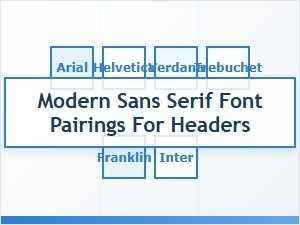 Free Modern Sans Serif Font Pairings for Headers
 How Geometric Sans Serif Fonts Elevate Corporate Branding
 How Modern Sans Serif Fonts Define Luxury Brand Identity
 The Power of Contemporary Sans Serif Typography in Branding